Stock management
Stock is kept per branch: what's on the shelf, where materials go and how much one service costs you.
1. Set up your items
In Stock → Items, add items: the name, the unit (pieces, milliliters, liters, grams, kilograms or meters) and the purpose — for sale, for use in services, or both. Many items are easier to upload from a file.
The stock page is visible only to people the owner has given access to: it shows purchase prices.
2. Enter opening balances and receipts
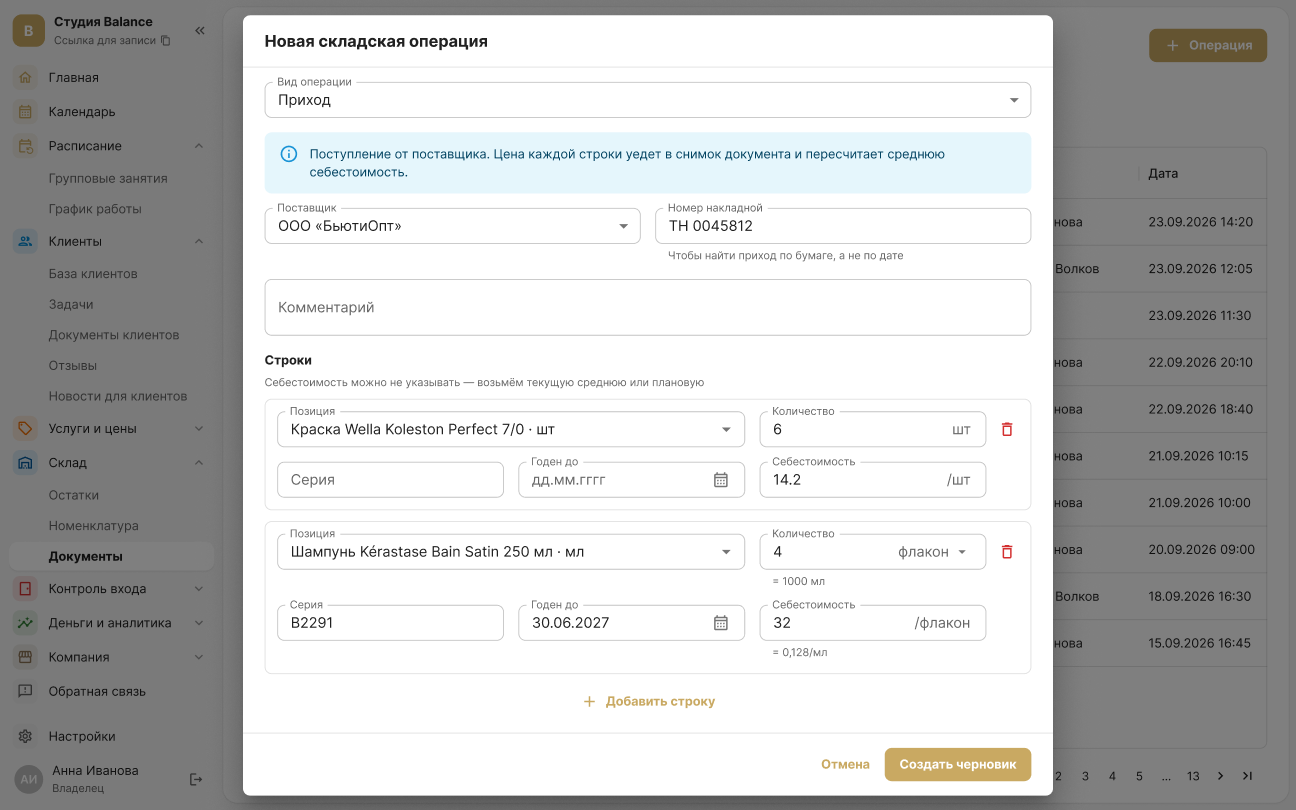
In Stock → Documents, create an Opening balance, and record every delivery as a Receipt with the purchase price. A document is saved as a draft first — stock levels change only after it's posted.
A posted document can't be edited or deleted — mistakes are corrected with a reversal.
3. Set up consumption for services
In a service, set the norm — how much material one service uses. When a client is marked Attended, the materials are written off automatically, and the service margin is calculated from day one.
4. Keep an eye on stock levels
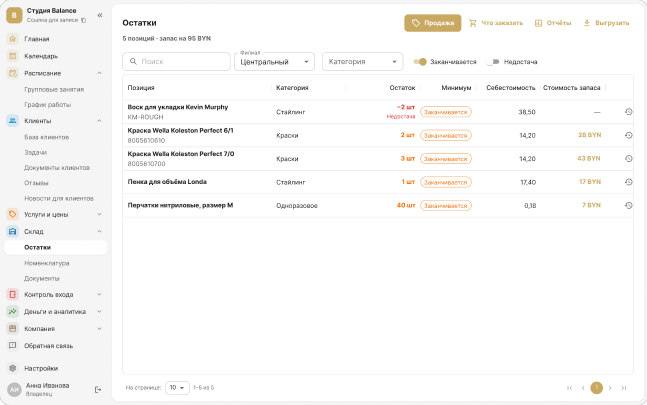
In Stock → Stock levels, set the minimum and target quantity for an item. When it's running low, the owner and administrators get a push, and the What to reorder report prepares a draft receipt.
5. Do a stocktake
Count the shelf with a Stocktake document. While it's a draft, you can enter the actual quantities as many times as you like; when it's posted, surpluses and shortages are recorded automatically.