Employee personal settings
Only you can see and change these settings. They apply both in the web dashboard and in the mobile app.
1. Open personal settings
In the menu, choose Settings → Personal.
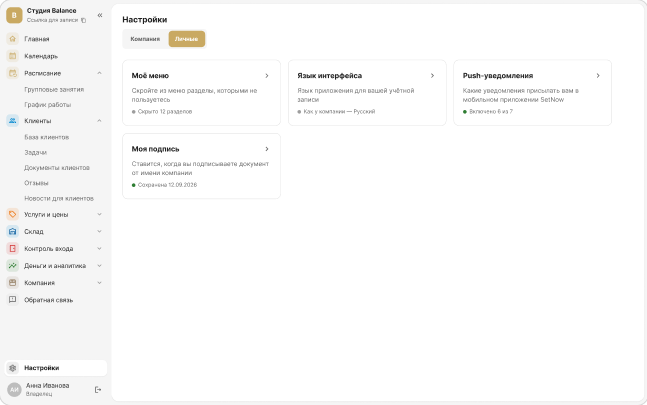
2. Interface language
The language of the dashboard and the app for your account: Russian, English or Georgian. It doesn't change for other employees.
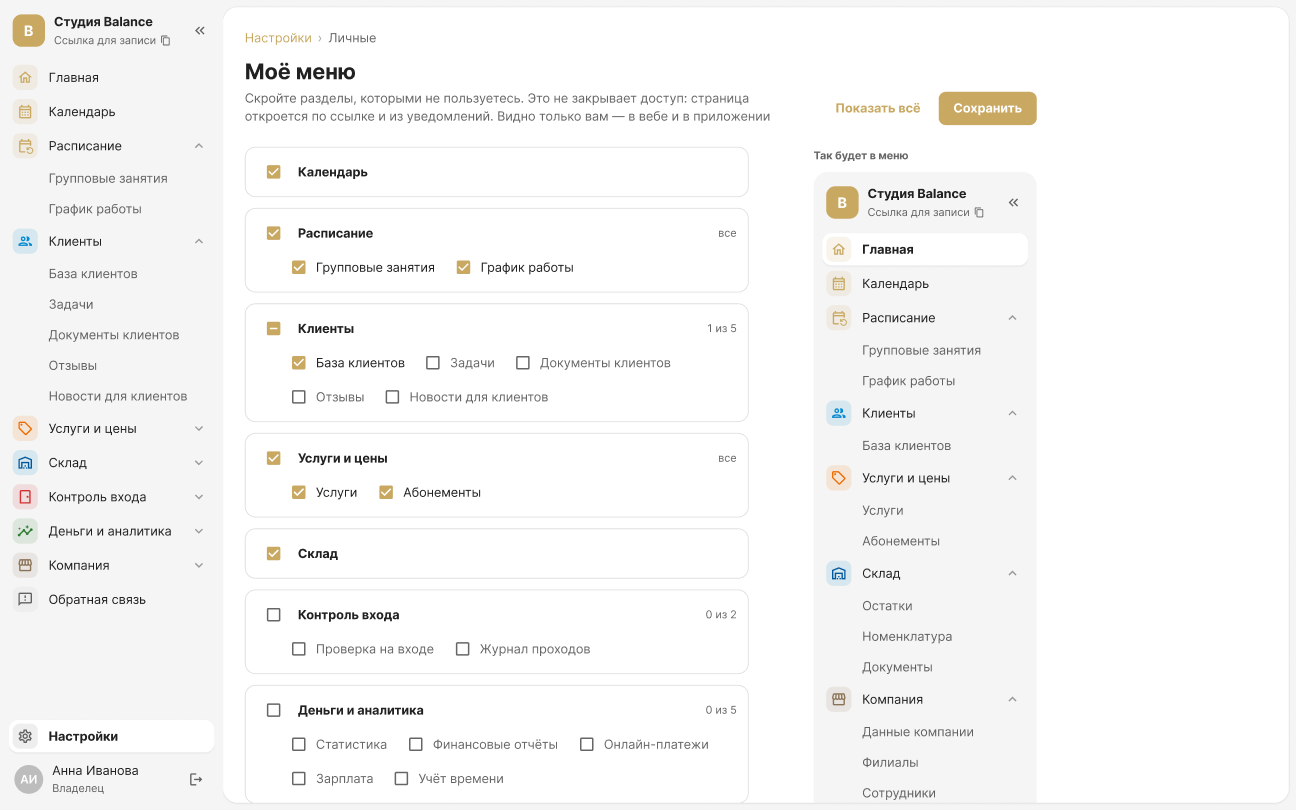
3. My menu
Hide the sections you don't use. This doesn't remove access: a page still opens from a link or a notification, and other employees' menus don't change.
4. Push notifications
Choose what to send to your phone:
- new bookings and cancellations;
- a reminder an hour before a booking;
- waitlist and company news;
- tasks and stock.
The setting is saved immediately; pushes arrive on every phone where you're signed in to SetNow.
5. My signature
Sign once, just as you would on paper — the signature is applied at the click of a button when you sign documents on behalf of the company. If you change your signature, documents that are already signed stay as they are.
“My signature” is visible if you have access to the “Client documents” section. Signing for the company requires signing rights, which the owner grants.